LDInspector - Basic Configuration: Difference between revisions
created config howto |
(No difference)
|
Revision as of 17:02, 28 February 2020
Back to LDInspector main page.
Howto: Get a do basic configuration
-
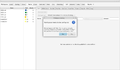 Select "Config." to open workpsace configuration.
 -
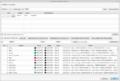 On the first start, the configuration looks like this. Select for each part source: official or unofficial? files in a directory or in a zip? Most likely you will also want to configure a web resource cache directory.
 -
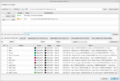 In the end, your configuration will perhaps look like this. If unsure, leave colors unchanged.
 -
Save the configuration, preferable named LDInspector.ldi so this configuration will be used on future program starts.


